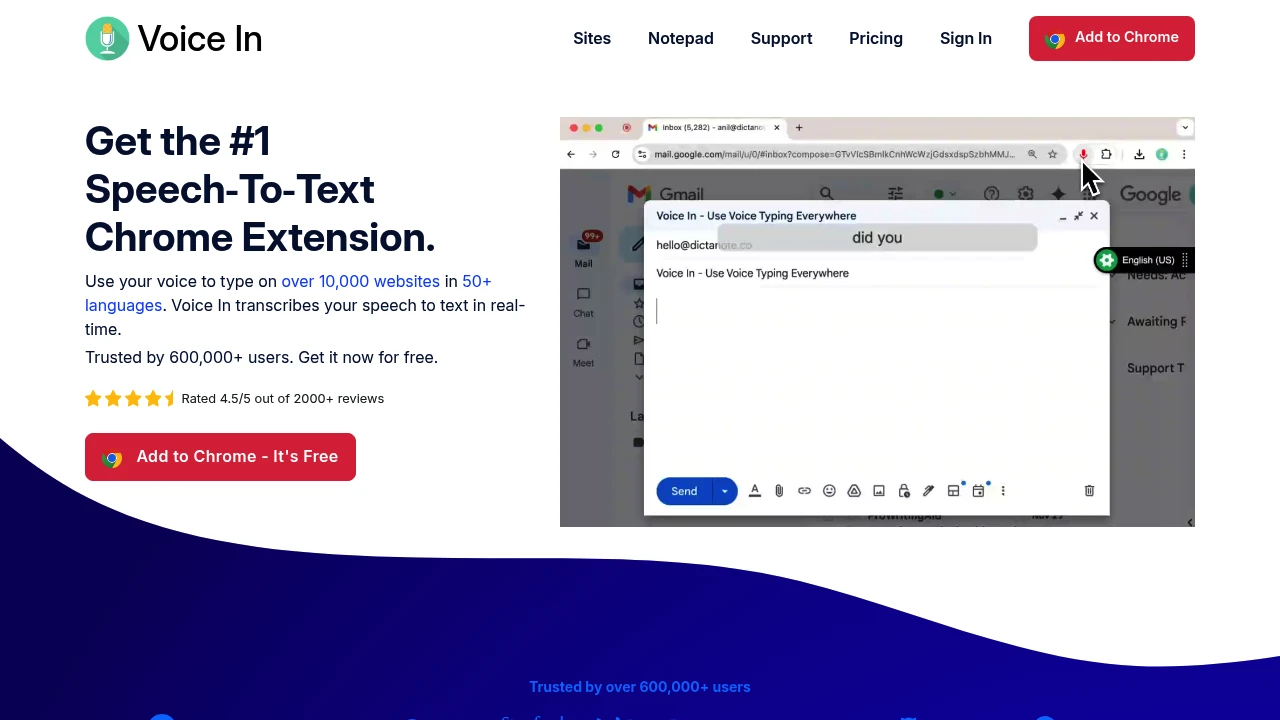
Voice In is the browser-extension answer to desktop dictation apps. Install it in Chrome or Edge and you can dictate into text boxes across the web — Gmail, Google Docs, WhatsApp, WordPress, and roughly ten thousand other sites — with voice commands for punctuation. It has 600,000-plus users at 4.5 stars, which makes it one of the most widely used tools in this directory, and because it's browser-based it works identically on Windows, Mac, Linux, and Chromebooks.
At a glance
Platforms
Chrome and Microsoft Edge, on Windows, Mac, Linux, and ChromeOS
Pricing
Free tier; Voice In Plus $60/year
Free tier
Dictation in 50+ languages on popular sites, with punctuation commands
Processing
In-browser — the vendor states no audio or transcript reaches their servers
Languages
100+ claimed, 50+ on the free tier
Sites
10,000+ supported; 1,000+ additional in Advanced Mode on Plus
Chromebook dictation that works. ChromeOS is badly served by everything else in this directory. If you're on a Chromebook, this is close to the only real answer.
The privacy claim is unusually strong for a web tool. Audio is transcribed in the browser with nothing sent to Voice In's servers. Uncommon for a free extension.
Sheer breadth of sites. Ten thousand supported, with Advanced Mode adding a thousand more for the awkward editors that resist injection.
Real user base. 600,000 users at 4.5 stars is meaningful validation that the thing works day to day, which most tools in this directory can't show.
Free tier is usable long-term. Popular sites and 50+ languages, not a countdown.
Where it falls short
Browser only. Nothing outside Chrome or Edge. No native apps, so no dictating into VS Code, Slack desktop, or Word.
No AI cleanup. Straight transcription with punctuation commands. None of the filler-word removal or reformatting that the desktop AI tools do.
$60/year is not cheap for an extension. That's $5/month, the same as Utter's full AI dictation app, for what is fundamentally better site coverage and custom commands.
Site-by-site compatibility is inherently fragile. A supported-sites list means sites can break when they redesign.
Confusable with Dictanote. Same team, different products, shared domain. Easy to buy the wrong one.
Pricing
Free covers 50+ languages on popular sites with built-in punctuation commands. Voice In Plus is $60/year and adds Advanced Mode for 1,000+ additional sites, custom voice commands, multi-tab dictation, the Dictation Box, language-switching shortcuts, and text case formatting.
Who it's for
People whose work lives in the browser — CRM, webmail, ticketing systems, CMS — and Chromebook users, who have almost no alternative. If most of your typing happens in desktop applications, a native tool will serve you better. If you want a notes app from the same team rather than an extension, that's Dictanote.
Last verified: 9 August 2026.
Similar to Voice In
Voice In: 600,000 users dictating into 10,000 websites from a browser extension – Dictation Database
Bring your own keys and mix any speech and language model you like
General Dictation
MIT-licensed voice typing for Mac, Windows, and Linux that works with Groq, Deepgram, AssemblyAI, OpenAI, Claude, Gemini, Ollama and more via your own API keys.